Core Activities & Interactions
At the heart of Quiet Mind Puzzle Space lies a collection of simple, tactile activities. Players can pick up and rearrange letter tiles, tap to fill areas with color, pop floating bubbles, or stack smooth stones in patterns. Each action responds immediately to a click or tap, creating a satisfying loop of cause and effect. The absence of any scoring system or time limit means there is no pressure to perform—only the freedom to experiment. A small, friendly companion character reacts to these interactions, offering subtle visual feedback that makes the environment feel alive without being distracting.
Interface & Accessibility
The game is designed for instant play on any modern web browser. On a desktop computer, a simple mouse click selects and moves objects. On a tablet or phone, a finger tap works just as naturally. A full-screen mode removes browser chrome and notifications, letting players focus entirely on the on-screen activities. The layout adapts to different screen sizes, so the interactive elements remain easy to reach whether on a large monitor or a small phone. No downloads or installations are needed—the game loads directly from a URL.
Atmosphere & Visual Style
The visual design emphasizes soft colors and gentle animations. Backgrounds use muted pastels, and objects have a smooth, rounded appearance. The companion character moves with slow, deliberate gestures, and the interactive window shows a simple outdoor scene that changes with the time of day. Sound effects are minimal and pleasant—a soft pop for bubbles, a light click for stones. This combination creates a sensory environment that feels safe and inviting, suitable for young children as well as adults seeking a quiet moment.
Flexible Play Patterns
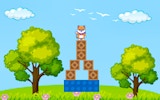
Players are free to move between activities at any time. There is no linear progression or required sequence. Someone might spend ten minutes arranging letters into short words, then switch to coloring a blank shape, then pop a few bubbles, and finally stack stones into a small tower. The companion can be petted or played with using simple taps. This open structure means the game can accommodate short breaks of a few minutes or longer, more meditative sessions. The only rule is that there are no rules—each player defines their own experience.
Compatibility
• OS: Windows 10+, macOS 11+, iOS 14+, Android 10+
• Browsers: Chrome 100+, Safari 15+, Edge 100+, Firefox 100+
• Not compatible with Internet Explorer
Tested on real devices ✅ works as expected








Comments
0 comments