Game Introduction
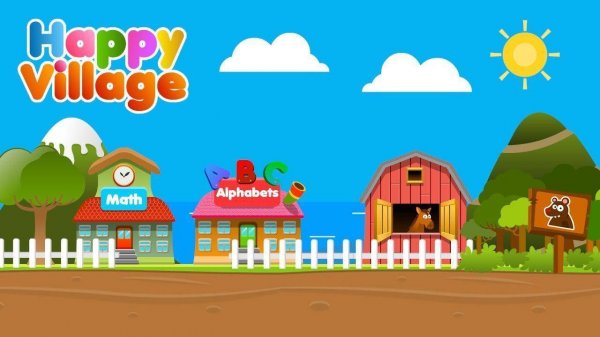
Happy Village Learning Adventures is an educational application designed for toddlers and young children between the ages of 2 and 6. The app transforms core learning concepts into engaging activities set in a colorful village environment. Children can explore different locations within the village, each hosted by friendly characters, to play games that build essential skills. The primary focus is on English language development, including vocabulary, letters, and simple phonics. Additionally, the app introduces numbers, basic math, colors, shapes, animals, and everyday objects. Every activity is designed to be intuitive and engaging, promoting a genuine love for discovery in a safe, ad-free environment. The app encourages children to learn at their own pace without pressure or time constraints.
How to Play
Playing Happy Village Learning Adventures is simple and intuitive for young children. Kids enter the cheerful village and choose any friendly character or building that catches their eye. Each location offers a different set of games. For example, tapping on the bakery leads to a game about counting cupcakes, while visiting the farm involves matching baby animals to their parents. Games use clear audio instructions, vibrant visuals, and simple touch or drag interactions. There are no complex menus or stressful time limits. Children learn through positive reinforcement, with encouraging sounds and animations celebrating every correct answer, allowing them to progress at their own pace.
Game Features
Happy Village Learning Adventures includes over 120 unique educational games covering English language, numbers, colors, and shapes. The app provides a safe, ad-free, and family-friendly environment with no external links. Bright, cheerful graphics and friendly characters engage young learners. The app is suitable for use at home, in kindergarten, and at school to support early childhood development. Intuitive touch and drag interactions are designed for small hands, making the app easy for toddlers to use independently.
Tips for Success
Encourage your child to explore freely, tapping on different characters and buildings to discover new learning experiences. Celebrate small achievements to build confidence. Let your child set the pace without rushing, as self-directed play enhances retention. Repeat favorite games to reinforce concepts. Use the app as a bonding activity by playing alongside your child and discussing what they learn. Consistent short sessions are more effective than long ones for maintaining focus and enthusiasm.
Compatibility
Play on Any Device | Chrome / Safari / Edge Recommended













Comments
0 comments