Custom Phone Case Studio
  • Custom Phone Case Studio

  • Developer: Wood Reapers
    Updated: 2026-07-21
  • Artistic , Relaxing , Design , Simulation , DIY , Crafting
PLAY NOW

Reviews

Custom Phone Case Studio offers a focused and relaxing crafting experience. The step-by-step process of gluing, painting, and drying feels methodical without being tedious. The color palette provides enough variety for unique designs, and the ability to layer paint adds depth. Controls are responsive on both touch and mouse inputs. This game is ideal for anyone who wants a low-pressure creative outlet. It does not rush you, and the result is always a one-of-a-kind case that reflects your choices.

About this game

Getting Started with Your Design

When you first open Custom Phone Case Studio, you choose a base case from a small selection of shapes. This becomes your blank canvas. The interface is straightforward, with clear buttons for each step. You can rotate the case to view it from different angles, which helps you see how your design will look from all sides.

The Painting and Texturing Process

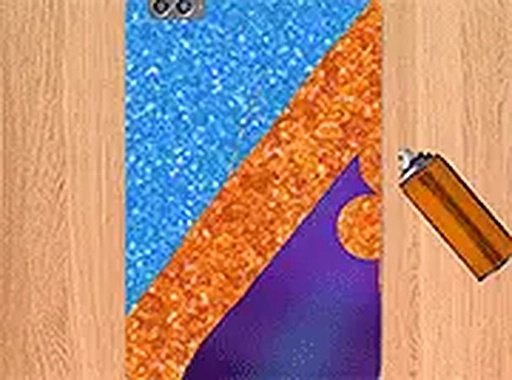
Applying glue is the first active step. You click and drag across the case surface to spread a thin, even layer. Next comes the paint selection. A palette offers several colors, from bright primaries to soft pastels. You spray the paint onto the glued areas, watching the color build up. The spray tool lets you control how much paint lands on the case, so you can create gradients or solid blocks of color.

Finishing and Drying Your Creation

Once the paint is applied, you use a hair dryer tool to set the design. This step is important because it locks the colors in place and gives the case a finished look. You can go back and add more glue or paint at any time, which encourages experimentation. The drying process is satisfying to watch as the colors become vibrant and permanent.

Platform and Controls

Custom Phone Case Studio works on both mobile devices and desktop computers. On a phone or tablet, you use touch controls to spread glue and spray paint. On a desktop, a mouse does the same job. The game also supports full screen mode, which removes distractions and lets you focus on your artwork. This flexibility means you can play wherever you are.

Creative Freedom and Themes

The game does not restrict you to a single style. You can create designs that feel rustic, modern, bright, or subdued. The color combinations are nearly endless, and you can layer paint to achieve different effects. Some players enjoy making matching sets for friends or family. The process is open-ended, so there is no right or wrong way to finish a case.

✅ Compatibility & Testing

• Desktop (Windows 11, macOS Ventura)
• Mobile (iPhone 14, Samsung Galaxy S23)
• Tablet (iPad Pro, Android tablet)
✅Supported browsers: Chrome, Safari, Edge, Firefox (latest versions)
❌ Not supported: Internet Explorer, older browser versions

Comments

0 comments
U
User
Loading comments...

Faq

Can I save my phone case design in Custom Phone Case Studio?
The game may allow you to save your finished design as an image file. This feature lets you share your creation on social media or keep it as a reference for future projects. Check the game's menu for a save or export option after you finish drying your case.
Is Custom Phone Case Studio free to play?
Yes, Custom Phone Case Studio is free to play directly in your web browser. There are no hidden fees or subscriptions required. You can start designing immediately without creating an account or downloading any software.
Do I need any special skills to play this game?
No special skills are required. The game is designed for anyone who enjoys creative activities. The controls are simple, and the steps are clearly explained. Even if you have never painted before, you can produce pleasing results by experimenting with colors and textures.
Can I play Custom Phone Case Studio on a tablet?
Yes, the game is optimized for touch screens. You can play on a tablet or smartphone just as easily as on a desktop computer. The touch controls are responsive and make spreading glue and spraying paint feel natural.
How long does it take to complete one phone case design?
The time varies based on how detailed you want your design to be. A simple case with one or two colors might take five minutes. More complex designs with multiple layers and gradients could take fifteen minutes or longer. The game does not have a timer, so you can work at your own pace.
Are there any limits on how many designs I can make?
There are no limits. You can create as many phone case designs as you like. Each session starts fresh, allowing you to experiment with different color schemes and techniques. This makes the game ideal for repeated play and creative exploration.