Laying the Foundation
Urban Skyline Creator starts with a blank map and a vision. Players choose where to place the first structures, carefully considering how each building interacts with its neighbors. The game encourages thoughtful planning without pressure, allowing users to experiment with different layouts. As the city takes shape, new plots of land become available, offering room for expansion. The core loop revolves around selecting a location, placing a building, and watching the skyline grow taller. This straightforward process keeps the experience accessible while still providing a sense of accomplishment with each new addition.
Building Types and Their Roles
Not all structures serve the same purpose. Residential towers provide homes for the city's inhabitants, while commercial skyscrapers generate resources that fuel further growth. Parks and public spaces add visual appeal and contribute to the overall harmony of the urban landscape. Each building type has a distinct visual style, helping players create a diverse and interesting cityscape. The game introduces new building options gradually, so there is always something fresh to work toward. This variety keeps the construction process engaging over many sessions.
Growth and Unlockables
As the city expands, new possibilities emerge. Completing certain milestones unlocks advanced structures that offer enhanced benefits or unique aesthetics. The progression system rewards consistent play without demanding long hours at a time. Players can take breaks and return to find their city exactly as they left it, ready for the next phase of development. This gentle pace makes Urban Skyline Creator suitable for short bursts of play or extended creative marathons. The sense of steady progress provides motivation to keep building and refining the urban environment.
Visual Charm and Atmosphere
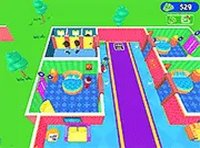
The game presents its world with bright, cheerful colors and clean lines. Buildings are rendered in a style that is easy to read at a glance, making navigation simple. The sky changes subtly as the city grows, with day and night cycles adding a pleasant rhythm. Sound effects are minimal and soothing, reinforcing the relaxed tone. There are no sudden alarms or urgent timers. The overall presentation supports the game's focus on creativity and calm enjoyment, ensuring that players of all ages feel welcome.
Tips for Building a Balanced City
For those looking to create an efficient and attractive metropolis, a few strategies can help. Placing residential areas near commercial zones reduces travel time for virtual citizens. Leaving space for parks and open areas improves the city's visual flow. Experimenting with different building combinations can lead to surprising and pleasing results. The game does not punish mistakes, so players are free to try new approaches. Regular check-ins to see what new structures have become available ensure that the city continues to evolve in interesting ways.
Compatibility
• OS: Windows 10+, macOS 11+, iOS 14+, Android 10+
• Browsers: Chrome 100+, Safari 15+, Edge 100+, Firefox 100+
• Not compatible with Internet Explorer
Tested on real devices ✅ works as expected












Comments
0 comments