Pixel Tune Desktop Studio
  • Pixel Tune Desktop Studio

  • Developer: Void Veil Interactive
    Updated: 2026-07-22
  • Casual , Music , Creative , Family-Friendly , Browser Game
PLAY NOW

Reviews

Pixel Tune Desktop Studio succeeds by making music creation accessible without sacrificing depth. The themed character sets provide enough variety to keep sessions fresh, while the drag-and-drop interface ensures immediate gratification. It is an ideal choice for families or anyone seeking a relaxing creative outlet. The lack of save functionality is a minor drawback, but the overall experience remains engaging and genuinely fun.

About this game

Character-Driven Sound Design

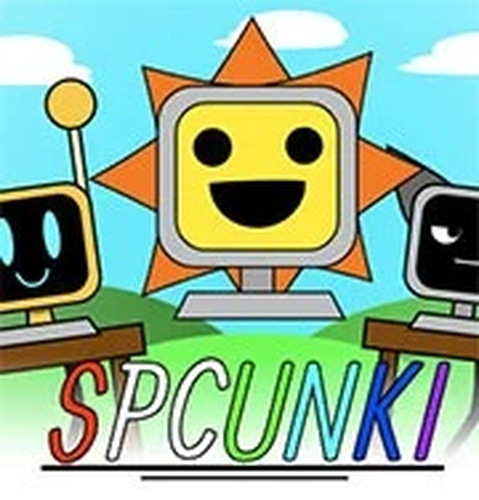
Every character in Pixel Tune Desktop Studio is designed as a whimsical computer-themed figure. Each one represents a distinct audio element, such as a drum loop, bass line, melody, or special effect. By placing characters onto the stage, you combine these sounds in real time. The visual design reinforces the playful tone, with bright colors and animated expressions that react to the music being built.

Layering Tracks Without Complexity

The core interaction is simple: drag a character onto the stage to add its sound, or remove it to mute that layer. This approach lets you experiment freely with different combinations. You can start with a single rhythm and gradually introduce additional parts to create richer arrangements. The interface provides immediate audio feedback, so each adjustment is heard instantly.

Exploring Themed Sound Collections

Pixel Tune Desktop Studio includes multiple themed versions, each with its own set of characters and sound palette. One theme might emphasize electronic beats, while another focuses on acoustic instruments or ambient textures. Switching between themes changes the available sounds, encouraging you to explore different musical styles without leaving the browser.

Accessible for All Skill Levels

Because there are no wrong combinations, the game is ideal for both beginners and experienced creators. Children can enjoy the colorful characters and simple controls, while adults may appreciate the ability to craft more complex compositions. The lack of a scoring system or time pressure keeps the experience relaxed and open-ended.

Browser-Based Convenience

No downloads or installations are required. The entire experience runs directly in a web browser, making it easy to play on various devices. This also means your creations are temporary unless you record them externally, which encourages spontaneous experimentation without worrying about saving progress.

Compatibility

• OS: Windows 10+, macOS 11+, iOS 14+, Android 10+
• Browsers: Chrome 100+, Safari 15+, Edge 100+, Firefox 100+
• Not compatible with Internet Explorer
Tested on real devices ✅ works as expected

Comments

0 comments
U
User
Loading comments...

Faq

Can I save my music creations in Pixel Tune Desktop Studio?
The game does not include a built-in save feature. However, you can use your device's screen recording or audio capture tools to preserve your favorite compositions. This approach keeps the experience simple and focused on real-time experimentation.
Is Pixel Tune Desktop Studio free to play?
Yes, the game is free to access through a web browser. There are no hidden fees or in-app purchases. All characters and themes are available from the start, allowing full creative freedom without any monetary barriers.
How many characters are available in the game?
The exact number of characters depends on the theme you choose. Each themed version includes a distinct set of characters, typically ranging from six to ten. Switching themes gives you access to a completely different cast and sound collection.
Does Pixel Tune Desktop Studio require an internet connection?
Yes, because it runs entirely in a web browser, a stable internet connection is needed to load the game and its audio assets. Once loaded, the game operates smoothly without additional downloads.
Can I play Pixel Tune Desktop Studio on a mobile device?
The game is designed for desktop browsers, but many mobile browsers can also run it. Touch controls may be less precise than a mouse, but dragging and dropping characters is still possible on tablets and larger phones.
Are there any tutorials or guides for new players?
The game's interface is intuitive enough that most players can start creating immediately. For those who want extra guidance, community forums and video walkthroughs offer tips on layering sounds and discovering effective character combinations.